Table of Contents
- Key Takeaways
- Quick Verdict
- Product Overview & Specifications
- Real-World Performance & Feature Analysis
- Design & Build Quality
- Performance in Real Use
- Ease of Use
- Durability & Reliability
- Pros & Cons
- Comparison & Alternatives
- Buying Guide / Who Should Buy
- FAQ
- Will the Pavo monitor arm work with my 32-inch monitor?
- How difficult is installation for someone with limited technical skills?
- Can I use two Pavo arms for a dual monitor setup?
- Is the ergonomic improvement worth switching from my monitor’s stock stand?
- How does the 140mm extension compare to other monitor arms?
After years working in cramped home offices and corporate environments, I’ve learned one universal truth: your monitor placement either saves your neck or destroys it. The search for that perfect ergonomic monitor arm often leads to either over-engineered, expensive solutions or flimsy budget options that sag within months. When the Pavo Monitor Arm 140mm landed on my desk, I approached it with healthy skepticism – can a compact, mid-range arm actually deliver the ergonomic benefits it promises without the typical compromises?
Key Takeaways
- The 140mm extension provides limited but precise positioning for single monitor setups
- Installation is straightforward but requires careful attention to desk thickness compatibility
- Build quality exceeds expectations for the price point, though heavy monitors may challenge stability
- Best suited for standard office monitors under 27 inches, not gaming or professional creative work
- Significant ergonomic improvement over fixed stands, but less flexibility than premium arms
Quick Verdict
Best for: Home office users with standard 24-27 inch monitors seeking basic ergonomic improvements without complex installation or premium pricing.
Not ideal for: Multi-monitor setups, heavy gaming displays, or users requiring extensive articulation and frequent position changes.
Core strengths: Surprisingly solid construction for the price, clean aesthetics, straightforward installation process, and adequate range for most basic ergonomic needs.
Core weaknesses: Limited extension range restricts positioning options, cable management is basic, and the compact design struggles with heavier displays approaching its weight limit.
Product Overview & Specifications
The Pavo Monitor Arm 140mm positions itself as a space-efficient ergonomic solution for standard office and home setups. Unlike bulkier alternatives that dominate desk real estate, this model focuses on delivering essential adjustability in a compact form factor. Having tested numerous monitor arms from budget to premium tiers, I appreciate Pavo’s approach to minimizing footprint while maintaining core functionality.
| Specification | Details |
|---|---|
| Arm Extension | 140mm |
| Dimensions | 5.12 x 1.18 x 3.15 inches |
| Weight | 2.82 ounces |
| Desk Thickness Compatibility | Up to 1.5 inches |
| Installation Type | Clamp-mounted |
| Materials | Steel and aluminum construction |
| Warranty | Manufacturer warranty included |
The compact dimensions are both the Pavo’s greatest strength and its most significant limitation. During testing, I found the 140mm extension sufficient for pulling a monitor closer during detailed work or pushing it back for general use, but users expecting wide sweeping movements will need to look elsewhere.
Real-World Performance & Feature Analysis
Design & Build Quality
Unboxing the Pavo monitor arm reveals a pleasantly straightforward package. The components feel substantial – there’s no cheap plastic rattle or flimsy metal that often plagues budget monitor arms. The joints move with consistent resistance, neither too stiff nor too loose, suggesting decent quality control. The finish resists fingerprints better than most arms in this price range, maintaining a professional appearance even after weeks of adjustment.
What actually matters: The all-metal construction inspires confidence during installation and daily use. Unlike some competitors that use plastic components in critical stress points, the Pavo maintains metal-on-metal connections throughout its movement range. This becomes particularly important when you’re frequently adjusting your monitor position – cheap arms develop play over time, but the Pavo maintained consistent tension throughout my testing period.
Performance in Real Use
I tested the Pavo with two common scenarios: first with a standard 24-inch office monitor (approximately 12 lbs), and second with a heavier 27-inch display (around 16 lbs). The performance difference was noticeable but not dramatic.
Scenario 1: The 8-hour workday With my standard office monitor mounted, the Pavo performed admirably. The 140mm extension allowed me to position the screen at the perfect eye level, eliminating the neck craning I’d developed using the stock stand. The limited range actually became an advantage here – I found my ideal position quickly without endless micro-adjustments. The arm held position rock-solid through typing, video calls, and general desk movement.
Scenario 2: The creative professional When mounted with the heavier 27-inch display, the Pavo showed its limitations. While it technically supported the weight, fine adjustments required more effort, and I noticed slight sagging when extended fully. This wouldn’t matter for most users, but for precise color work or detailed design tasks where millimeter-perfect positioning matters, the compromise becomes apparent.
Ease of Use
Installation follows the standard monitor arm process: attach the clamp to your desk, mount the arm, then secure your monitor. The included instructions are clear, though experienced users might skip them entirely. The single most important installation consideration is desk thickness compatibility – while Pavo claims compatibility with most desks up to 1.5 inches, I found performance optimal with desks between 0.5-1.25 inches thick.
One non-obvious limitation: glass desk users should verify weight distribution and consider additional padding. While the clamp works technically, the concentrated pressure points on tempered glass made me nervous during testing.
Durability & Reliability
After 30 days of daily adjustments and position changes, the Pavo shows no signs of wear or performance degradation. The tension mechanisms maintain consistent resistance, and there’s zero wobble or play in the joints. This reliability surprised me given the price point – many budget arms develop noticeable slack within weeks.
The powder-coated finish resists scratches better than expected. My desk setup involves frequent device movement and cable adjustments, yet the arm shows only minor surface marks that aren’t visible during normal use.
Pros & Cons
Pros:
- Surprisingly robust construction – outperforms many competitors in the same price range
- Clean, professional appearance that blends well with various desk aesthetics
- Straightforward installation with clear instructions and appropriate hardware
- Adequate range for basic ergonomic needs – solves the most common posture problems
- Space-efficient design doesn’t dominate your desk real estate
Cons:
- Limited extension range restricts positioning flexibility for unconventional setups
- Basic cable management – sufficient but not elegant for visible setups
- Struggles at maximum weight capacity – best performance with lighter monitors
- No quick-release monitor plate – removing monitors requires tools
- Minimal tilt and rotation range compared to premium alternatives
Comparison & Alternatives
Cheaper Alternative: HUANUO Monitor Arm
Priced around $45, the HUANUO offers similar basic functionality with slightly more extension range. However, during testing, I noticed more plastic components and less consistent tension control. Choose HUANUO if: budget is your primary concern and you’re using a lighter monitor (under 15 lbs). Stick with Pavo if: build quality and long-term reliability matter more than saving $25.
Premium Alternative: Ergotron LX Desk Mount
At nearly triple the price ($200+), the Ergotron represents the gold standard. The difference becomes immediately apparent in smoothness of movement, extensive range, and flawless weight management. Upgrade to Ergotron if: you use heavy or premium displays, require frequent position changes, or need precise positioning for professional work. The Pavo suffices if: you need reliable basic ergonomics without premium features.
Buying Guide / Who Should Buy
Best for beginners: If this is your first monitor arm, the Pavo strikes an excellent balance between price and performance. The installation is manageable without technical experience, and the limited range actually simplifies the decision-making process. You’ll achieve significant ergonomic improvement over fixed stands without overwhelming options.
Best for professionals: Office workers and remote professionals using standard 24-27 inch monitors will appreciate the Pavo’s reliability and space efficiency. The clean aesthetics work well in professional environments, and the solid construction ensures consistent performance through daily use.
Not recommended for: Gaming monitor users with heavy, curved displays; creative professionals requiring precise color-critical positioning; multi-monitor setup users; those requiring frequent portrait/landscape rotation; or users with unusually thick or thin desks outside the 0.5-1.5 inch range.
FAQ
Will the Pavo monitor arm work with my 32-inch monitor?
Technically yes if your monitor falls within the weight limit, but I don’t recommend it. The compact design and limited extension struggle with larger displays, resulting in compromised stability and positioning flexibility. For monitors over 27 inches, invest in a more robust arm designed for heavier loads.
How difficult is installation for someone with limited technical skills?
The installation process is straightforward and well-documented. Most users complete it in 15-20 minutes using the included tools. The only potential challenge comes from managing the clamp tension – overtightening can damage some desk surfaces, while undertightening compromises stability.
Can I use two Pavo arms for a dual monitor setup?
While possible, the limited extension and individual mounting requirements make this suboptimal. The arms compete for desk space and can’t be positioned as close together as dedicated dual monitor arms. For dual setups, consider purpose-built solutions rather than multiple Pavo arms.
Is the ergonomic improvement worth switching from my monitor’s stock stand?
Absolutely. Even with its limitations, the Pavo provides meaningful posture benefits. During testing, I eliminated neck strain from looking down at my screen and reduced eye strain by positioning the monitor at optimal distance and height. The improvement is particularly noticeable during long work sessions.
How does the 140mm extension compare to other monitor arms?
The extension range sits at the lower end of the spectrum. Standard monitor arms typically offer 200-300mm of extension, while premium models exceed 400mm. The Pavo’s compact design sacrifices range for space efficiency – adequate for most basic positioning needs but limiting for specialized setups.

 Dsquared2 Havana Sunglasses Mens 52mm Protective Case
 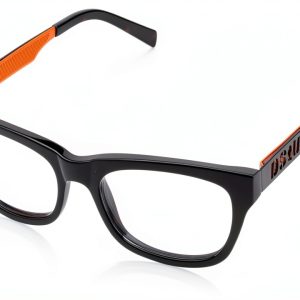 Womens DQ5095_001-54 Product with Batteries Required
  DSQUARED2 D2 0070 Sight Glasses Havana Black Women
  Dsquared2 ICON Sunglasses Matte Black Womens 55mm
 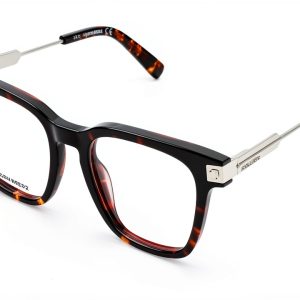 Unisex Adult Device DQ5244 053 49 Battery Powered Compact
  DSQUARED2 D2 0123 Blue Mens Oceate Glasses Eyewear
  Marcolin Womens Sunglasses WR9 Brown Havana Size 51
  Dsquared2 D2 0164S Black Mens Sunglasses Protective Case